The Training Centre in EA Sports FC 26 is designed to help both new and returning players learn the fundamentals of football gameplay. Acting as a step-by-step tutorial hub, it introduces you to the core mechanics of the game while gradually increasing difficulty so you can sharpen your skills. Whether you are new to FC or looking to refine your techniques, the Training Centre is the best place to start.
What is the Training Centre?
The Training Centre is an interactive learning mode in FC 26 where you complete guided lessons covering all aspects of gameplay. From the basics of passing and shooting to advanced controls like timed finishing, defending tactics, and skill moves, each lesson is structured to teach you a new ability while allowing you to practice in real match scenarios.
This mode is especially helpful for beginners, as it breaks the game down into easy-to-follow steps, but even experienced players can benefit from mastering advanced mechanics.
How to Access Training Centre in FC 26
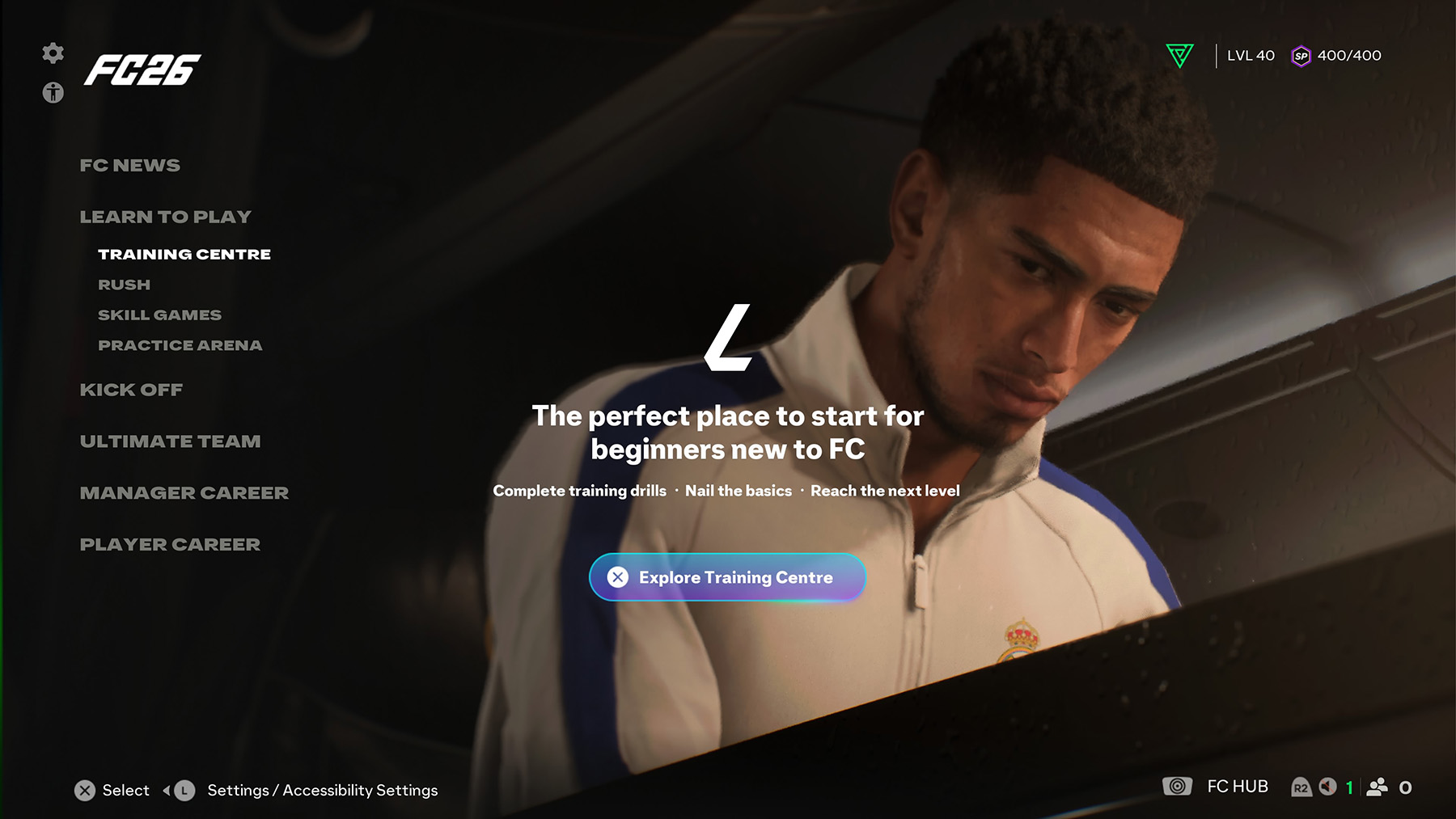
You can find the Training Centre in the Learn to Play menu from the FC 26 main screen. Once inside, you’ll be able to select different tutorials based on your current skill level and progress.
Training Centre Modes in FC 26
Here are the available sections you can explore in FC 26’s Training Centre:
- Fundamentals: Learn the very basics of movement, controls, and player positioning.
- Rush: A unique small-sided game mode designed to teach you the special rules and mechanics of Rush football.
- Passing: Master short passes, lobbed passes, through balls, and driven passes.
- Attacking: Practice finishing techniques, attacking runs, and chance creation.
- Defending: Improve jockeying, tackling, pressing, and goalkeeper fundamentals.
- Dribbling: Develop close ball control, agility, and learn skill moves to beat defenders.
Fundamentals
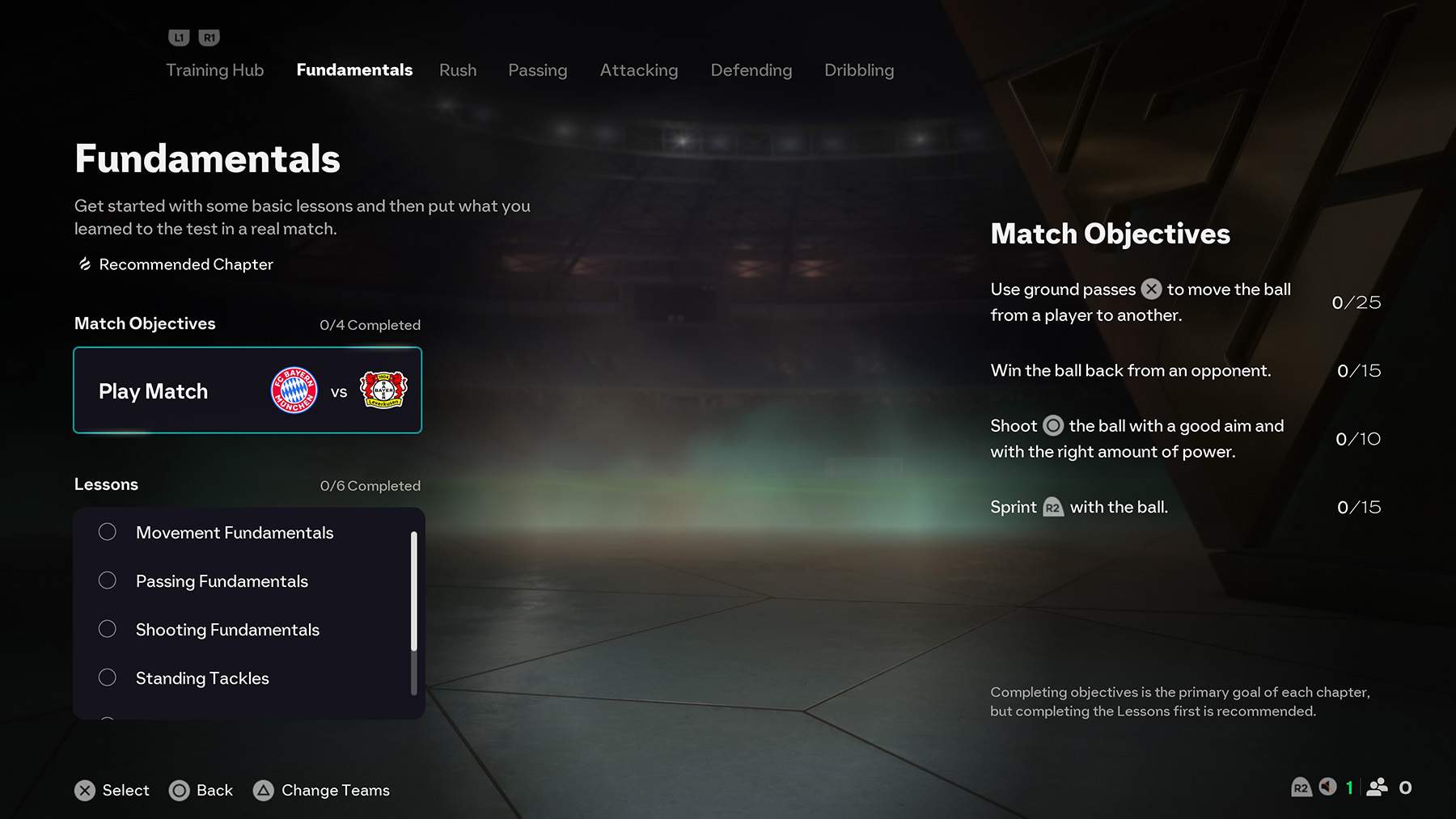
Start with short, guided lessons and then test yourself in a full match. This chapter features 4 Match Objectives and 6 Lessons designed to teach the absolute basics before you move on to deeper chapters.
Match Objectives (4)
- Use ground passes (PlayStation: ✕ · Xbox/PC: A) to move the ball between players.
- Win the ball back from an opponent.
- Shoot (PlayStation: ◯ · Xbox/PC: B) with good aim and the right amount of power.
- Sprint with the ball (PlayStation: R2 · Xbox/PC: RT).
Lessons (6)
- Movement Fundamentals – Move to highlighted zones to score points.
Inputs: PlayStation: L (Move), R2 (Sprint) · Xbox/PC: L (Move), RT (Sprint). - Passing Fundamentals – Learn accurate ground passing and when to release the ball.
Inputs: PlayStation: ✕ · Xbox/PC: A. - Shooting Fundamentals – Practice aiming and powering shots for consistent finishing.
Inputs: PlayStation: ◯ · Xbox/PC: B. - Standing Tackles – Time your challenges to dispossess safely.
Inputs: PlayStation: ◯ · Xbox/PC: B. - Slide Tackles – Learn controlled sliding challenges.
Inputs: PlayStation: ▢ · Xbox/PC: X. - Player Switching – Swap defenders to stop dribblers breaking your line.
Inputs: PlayStation: ◯ (Stand Tackle), L1 (Switch) · Xbox/PC: B (Stand Tackle), LB (Switch).
Tip: Completing the lessons first makes the match objectives much easier to clear.
Rush
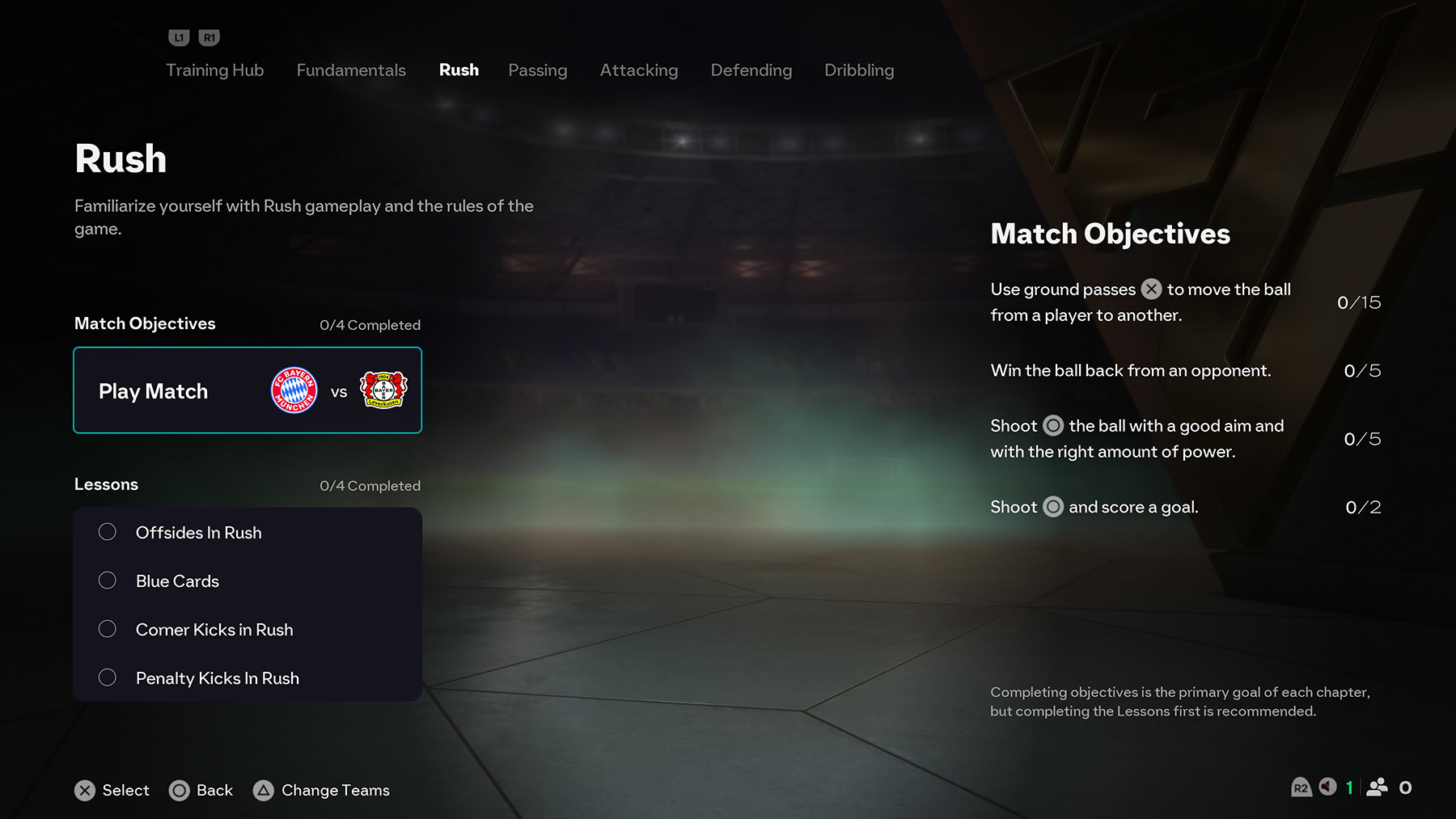
The Rush chapter in Training Centre helps you get familiar with the unique rules of Rush gameplay, such as offsides, blue cards, and set-pieces. It includes 4 Match Objectives and 4 Lessons that highlight how Rush differs from standard football.
Match Objectives (4)
- Use ground passes (PlayStation: ✕ · Xbox/PC: A) to move the ball between teammates (15 times).
- Win the ball back from an opponent (5 times).
- Shoot (PlayStation: ◯ · Xbox/PC: B) with good aim and the right amount of power (5 times).
- Shoot and score a goal (PlayStation: ◯ · Xbox/PC: B) (2 times).
Lessons (4)
- Offsides in Rush – Learn how offside rules apply differently in Rush matches.
- Blue Cards – Understand Rush’s unique penalty card system and how it affects play.
- Corner Kicks in Rush – Practice how corners work with Rush’s rules.
- Penalty Kicks in Rush – Train to take and defend penalties under Rush conditions.
Tip: Focus on lessons first to master Rush’s special rules before tackling the objectives in a live match.
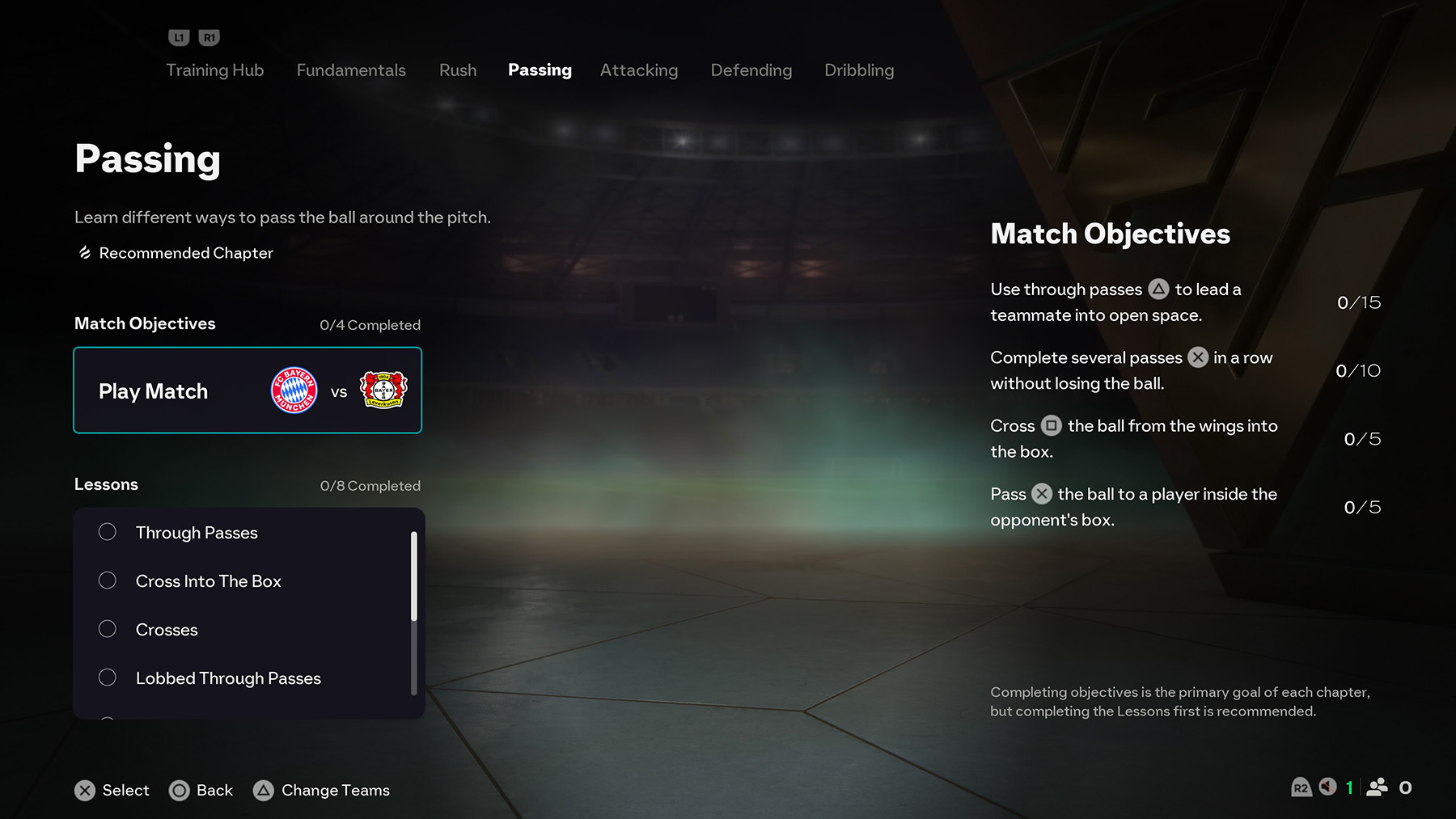
Passing
The Passing chapter in FC 26 Training Centre teaches you how to distribute the ball effectively across the pitch using different types of passes. It comes with 4 match objectives and 8 lessons to complete, helping you master short passes, through balls, crosses, and advanced techniques like Precision Passing. Completing lessons builds your fundamentals, while objectives put those skills into real match scenarios.
Match Objectives
- Use through passes (△ / Y) to lead a teammate into open space – 15 times
- Complete several passes (X / A) in a row without losing the ball – 10 times
- Cross (▢ / X) the ball from the wings into the box – 5 times
- Pass (X / A) the ball to a player inside the opponent’s box – 5 times
Lessons
- Through Passes
- Cross Into The Box
- Crosses
- Lobbed Through Passes
- Corner Kicks
- Long Free Kicks
- Pass-and-Go
- Precision Pass
Example Lesson – Precision Pass
The Precision Pass lesson focuses on accuracy and timing to deliver the ball exactly where your teammate needs it. You must use the correct input and judge power carefully to succeed.
- PlayStation: R1 + △
- Xbox / PC: RB + Y
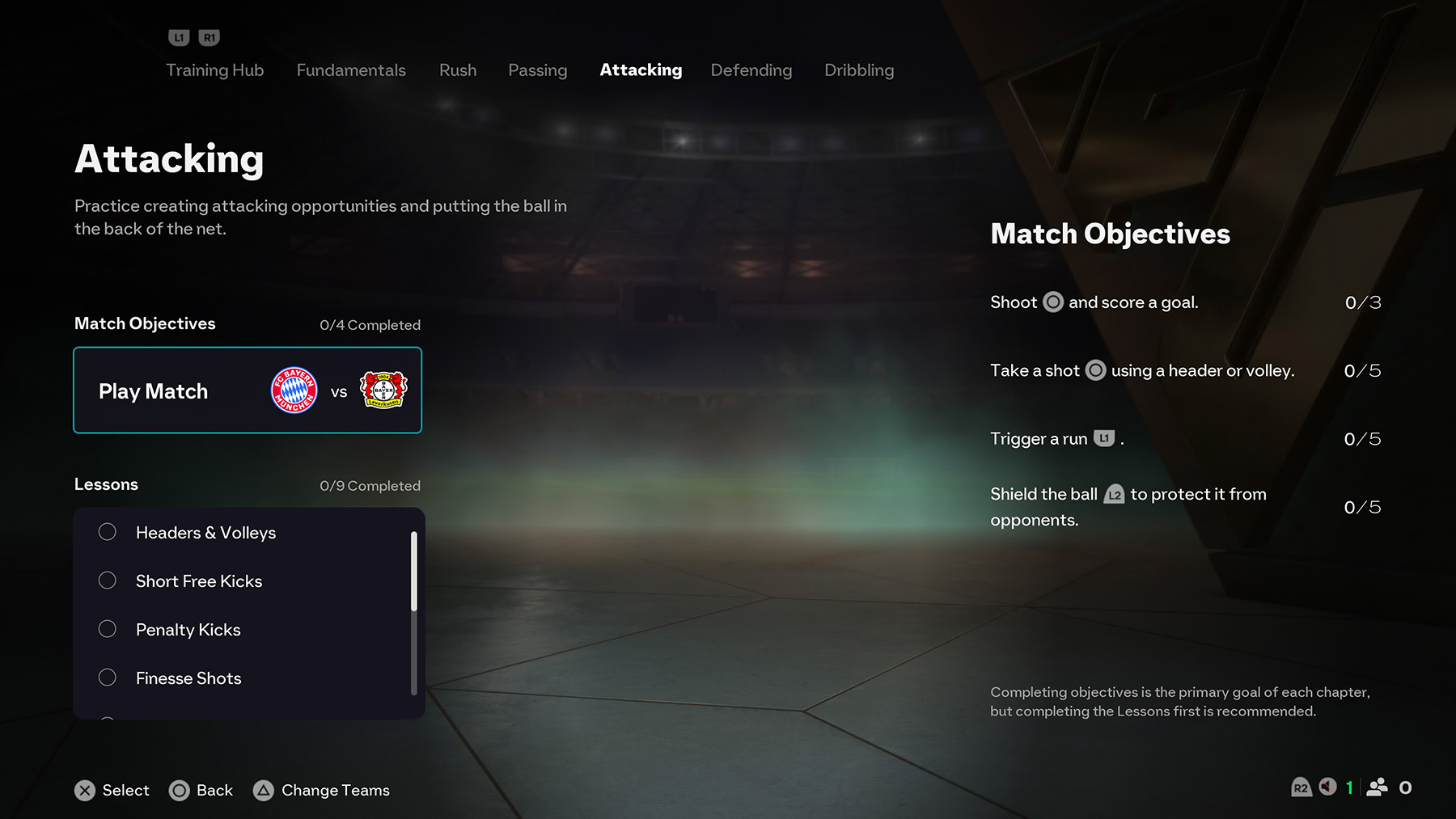
Attacking (Training Centre)
The Attacking section in FC 26 Training Centre helps you practice creating chances, finishing opportunities, and using advanced attacking mechanics. It comes with 4 Match Objectives and 9 Lessons, giving you the tools to sharpen your offensive play and become clinical in front of goal.
Match Objectives
- Shoot (◯ / B) and score a goal – 0/3
- Take a shot (◯ / B) using a header or volley – 0/5
- Trigger a run (L1 / LB) – 0/5
- Shield the ball (L2 / LT) to protect it from opponents – 0/5
Lessons
- Headers & Volleys
- Short Free Kicks
- Penalty Kicks
- Finesse Shots
- Chip Shots
- Trivela Shots
- Directed Runs
- Player Locking
Example Lesson: Player Locking
Player Locking is an advanced attacking technique that allows you to control players off the ball, creating smarter movement and better passing angles. By locking a player, you gain more precision in orchestrating attacks.
Controls:
PlayStation – L3 + R3 (Lock), Flick R (Switch Controlled Player)
Xbox / PC – LS + RS (Lock), Flick RS (Switch Controlled Player)
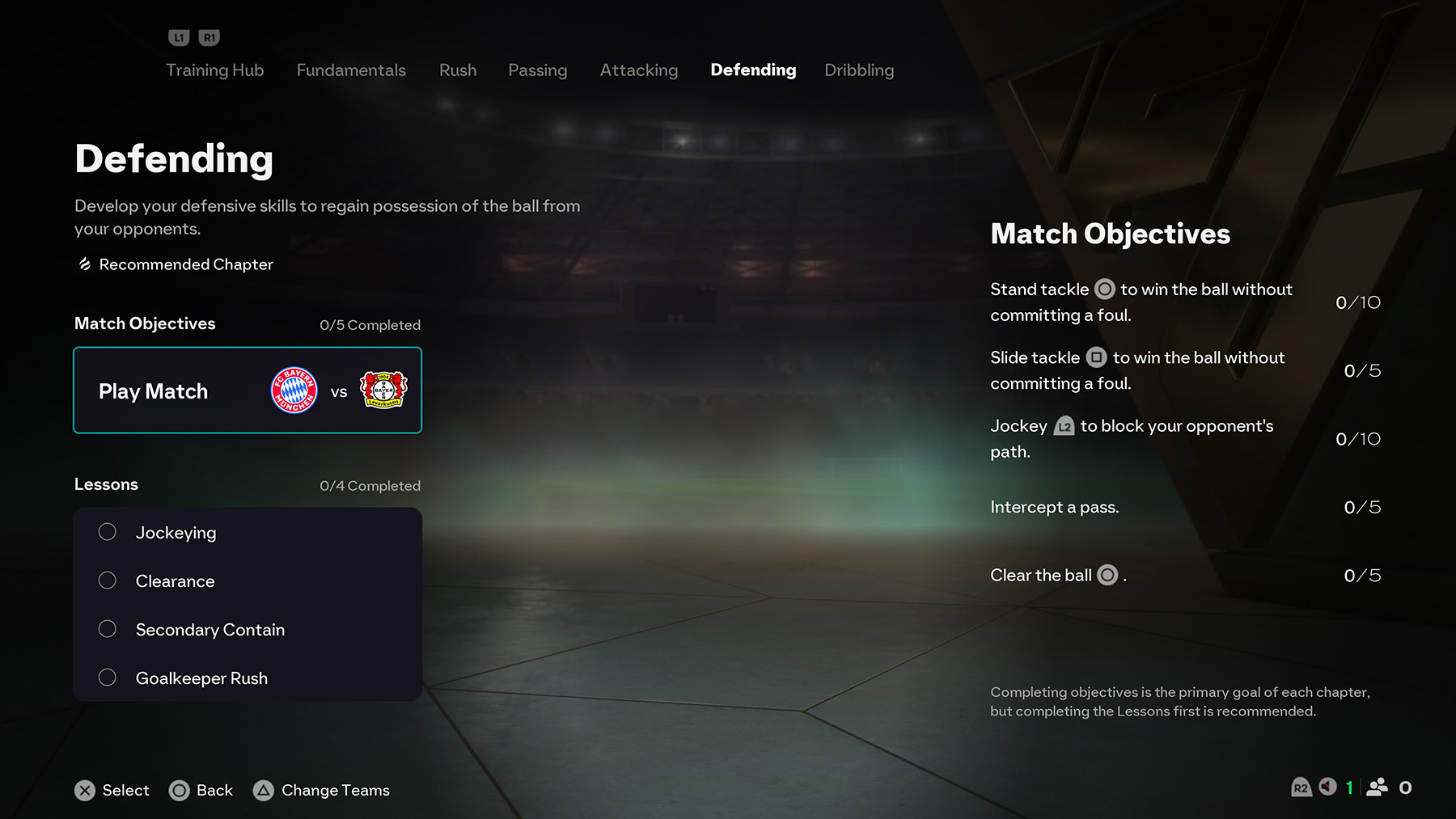
Defending (Training Centre)
The Defending section in FC 26 Training Centre is designed to help you master regaining possession and stopping your opponents effectively. It includes 5 Match Objectives and 4 Lessons, focusing on tackling, positioning, and goalkeeper control.
Match Objectives
- Stand tackle (◯ / B) to win the ball without committing a foul – 0/10
- Slide tackle (□ / X) to win the ball without committing a foul – 0/5
- Jockey (L2 / LT) to block your opponent’s path – 0/10
- Intercept a pass – 0/5
- Clear the ball (◯ / B) – 0/5
Lessons
- Jockeying
- Clearance
- Secondary Contain
- Goalkeeper Rush
Example Lesson: Jockeying
Jockeying teaches you how to control your defender’s positioning and slow down attackers by staying in front of them. This is a fundamental defensive skill that helps you contain dribblers and cut passing lanes.
Controls:
PlayStation – Hold L2
Xbox / PC – Hold LT
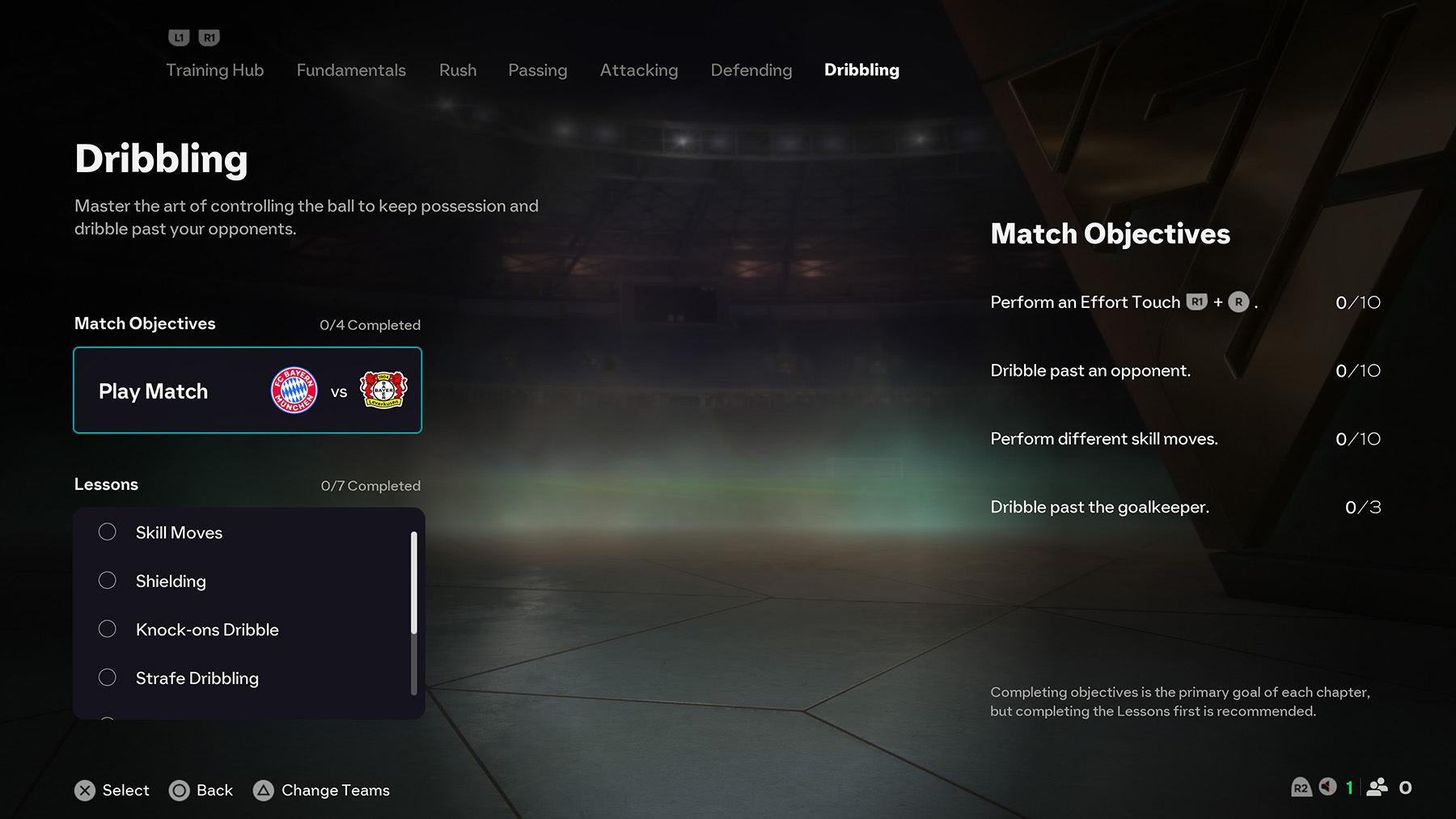
Dribbling (Training Centre)
The Dribbling chapter in FC 26 Training Centre helps you master close ball control, skill moves, and beating defenders. It includes 4 match objectives and 7 lessons to sharpen your attacking play.
Match Objectives
- Perform an Effort Touch (PS: R1 + R | Xbox/PC: RB + R) – 10 times
- Dribble past an opponent – 10 times
- Perform different skill moves – 10 times
- Dribble past the goalkeeper – 3 times
Lessons
- Skill Moves – Learn basic and advanced skill moves to beat defenders.
- Shielding – Protect the ball from opponents using your body.
- Knock-ons Dribble – Push the ball into space with extra pace.
- Strafe Dribbling – Control the ball while moving laterally to open space.
- Effort Touches – Use controlled touches to keep possession under pressure.
- Beat the Goalkeeper – Learn to dribble past the keeper in one-on-one scenarios.
- Beat the Defender – Keep possession while evading defenders; once in the penalty box, finish with a shot.
Inputs: PS: L2 (Protect Ball) / R (Skill Moves) / ◯ (Shoot) | Xbox/PC: LT / R / B
FAQ
Is Training Centre available offline?
Yes. The Training Centre is an offline feature, so you can practice anytime without an internet connection.
Do I get rewards for completing Training Centre lessons?
While you don’t get FUT rewards, completing Training Centre lessons can unlock skill progression, achievements, and help you perform better in competitive modes.
Can I skip beginner lessons?
Yes. If you’re already familiar with the basics, you can jump straight to advanced tutorials.
Is the Training Centre useful for experienced players?
Absolutely. Advanced tutorials cover mechanics like power shots, skill chains, and defensive positioning that even skilled players can benefit from mastering.
Where can I find Training Centre?
Training Centre is available under the Learn to Play menu in FC 26’s home screen.
Questions left unanswered? Drop them in the comments, and don’t forget to check our full FC 26 FAQ hub for additional help.
Comments