Squad Battles is a single-player mode in Ultimate Team where you face off against AI-controlled squads. Playing matches earns you Battle Points, which help you climb the weekly leaderboard and unlock rewards.
How to Play
Squad Battles is available in FC 26 > Ultimate Team > Play > Play vs AI > Squad Battles
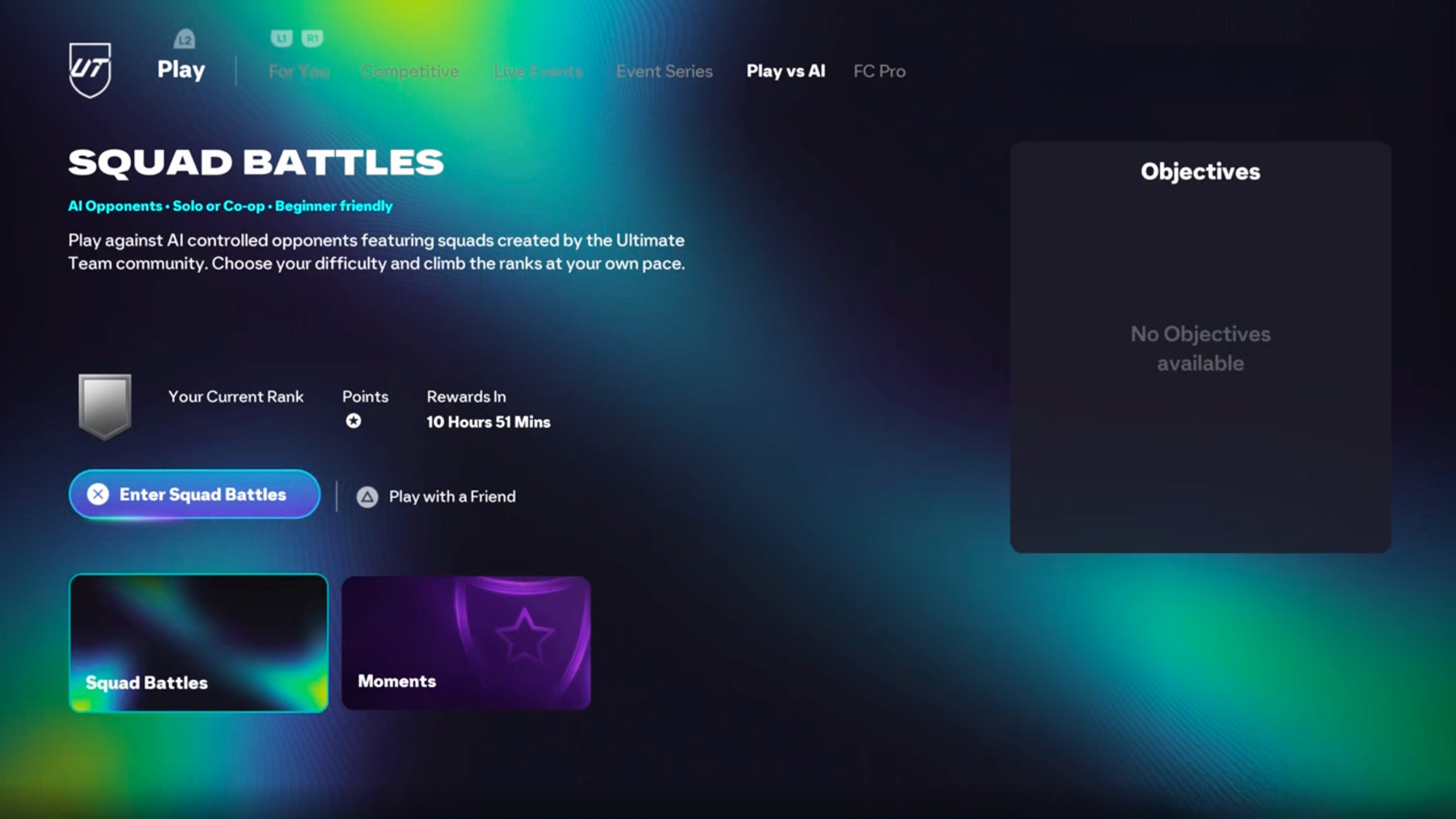
Weekly Competition Matches
Each week, you can play a set number of weekly competition matches that count towards your Battle Points total. Matches beyond that limit still reward Coins and help with Objectives, but won’t contribute to your weekly score.
How do matches work in Squad Battles?
Matches are divided into:
- Weekly competition matches – count towards your weekly score.
- Other matches – don’t count towards your weekly Battle Points but still reward Coins and Objective progress.
Squad Battles also supports Co-Op play, you can invite a friend from your Friends List via the Ultimate Team main menu. The Lobby Captain selects the opponent and difficulty. Both players earn Coins and Battle Points, unless one has run out of weekly competition matches, in that case, neither will earn Battle Points from that match.
Battle Points
What are Battle Points?
Battle Points are earned at the end of each Squad Battles match that falls within your weekly competition limit. They determine your placement in the weekly Squad Battles leaderboard.
If you quit a match early or skip it using a squad refresh, you won’t earn any Battle Points for that game.
Featured Squad Battles and Team of the Week Squads
- Featured Squad Battles are special matches against custom squads created by real players in the FC community,
including professional footballers. These matches can be replayed to try to improve your score. - Team of the Week (TOTW) Squads function similarly, you can face the TOTW each week for a chance to earn additional Battle Points.
Battle Points earned in these matches depend on the match result and difficulty setting.
Squad Battles Ranking System
How does ranking work?
Your weekly Battle Points total determines your Rank. Ranks are split by player percentage brackets within the Squad Battles competition. To reach a higher Rank, you need to earn more Battle Points than other players.
Can you lose Rank if you stop playing?
Yes. If you earn a lot of points early in the week and then stop playing, other players may surpass your score, causing your Rank to drop.
How often is the leaderboard updated?
Leaderboard standings refresh roughly every five minutes.
When are rewards given?
Rewards are distributed shortly after the weekly event ends.
Is the leaderboard cross-platform?
Yes. The Your Rank section displays your standing among players on all platforms, even if you didn’t enable cross-play. It shows Rank brackets, not player names.
Note: Nintendo Switch uses separate leaderboards.
Where do my Squad Battles opponents come from?
Your AI-controlled opponents are squads used by real players in other FUT modes like Squad Battles, FUT Draft (online/offline), FUT Champions, and Rivals.
How are opponents chosen?
At the start of each new competition or after a refresh, EAS FC picks:
- One squad from each difficulty group: Easy, Medium, and Hard.
- A fourth squad randomly selected from either the Easy or Medium pool (50/50 chance).
Opponents may come from any gaming platform.
Squad Refreshes
How do refreshes work in FC?
You control when to refresh your available opponents, giving you flexibility in scheduling your matches. If you refresh before playing all four available matches, any unplayed matches still count toward your weekly competition limit.
Can you undo refreshes?
No. Once you refresh and skip matches, they are permanently lost for that week’s competition.
Comments