Learn how to create a player in FC 26 Career Mode and kick-start your football journey.
Select PLAYER CAREER
To begin your career as a player in FC 26, go to PLAY MODES in the main menu, then select NEW CAREER. If there’s a squads update available, you may be prompted to update your squad data. You will then have three options: CREATE YOUR PRO or SELECT A REAL PLAYER.
- Download Latest – The latest squads and player data (if available).
- Use Current Squads – Uses the squads currently installed, whether updated or not.
- Use Initial Squads – Uses the default launch-day squads.
We recommend downloading the latest data if available.
Create Your Player
This option allows you to build your player from scratch as CREATE NEW PLAYER or to select a real player as PLAY AS REAL PLAYER.
By selecting CREATE YOUR PRO, you will first choose a player avatar and then enter your player’s details as follows:
INFO
Personal information for your Virtual Pro:
- First Name
- Last Name
- Known As – Name displayed on your kit
- Commentary Name – Selectable from the FC 26 commentary database
- Team
- Kit Number – Preferred squad number
- Nationality / Region – Country name
- Birth Year
- Birth Month
- Birth Day
ATHLETIC
Details about your player’s body and physical attributes. Height and weight directly affect certain stats (Acceleration, Agility, Balance, Jumping, Reactions, Sprint Speed, Stamina, Strength) with real-time changes shown as you edit.
POSITION
Your player’s on-field position:
- Position – Forward, Midfielder, Defender, or Goalkeeper
- Role – Specific role within the position
- Preferred Foot – Right or Left
HEAD
Customise your player’s head type, facial features, and hairstyle:
- Face – Shapes & types
- Tone & Complexion – Skin tones
- Eyes – Type, colour, shape, position, separation, protrusion & rotation
- Brows – Type, colour, shape, position, separation, protrusion & rotation
- Nose – Shape, position, separation, protrusion & rotation
- Mouth – Size, position & protrusion
- Cheeks & Jaws – Position & fullness
- Chin – Size, protrusion & fullness
- Ears – Size, earlobe, protrusion, helix & pitch
- Hair – Colour & style (short, medium, long, accessorised)
- Facial Hair – Type & colour (moustache, beard, etc.)
KIT
Customise your player’s kit & accessories:
- Boots & Accessories – Boots, socks & ankle tape
- Gloves & Wrists – Gloves, left & right wrist accessories
- Kit Fit – Waist fit (tucked in/untucked), sleeve type (short, long, undershirt, turtleneck undershirt), jersey fit (normal or tight)
ANIMATION
Set your player’s animations for:
- Goal Celebration
- Set Piece Style
- Running Style
Once you’ve completed your player setup, press Advance (Options/Menu) to continue, then select a club for your Virtual Pro.
Choose a Real Player
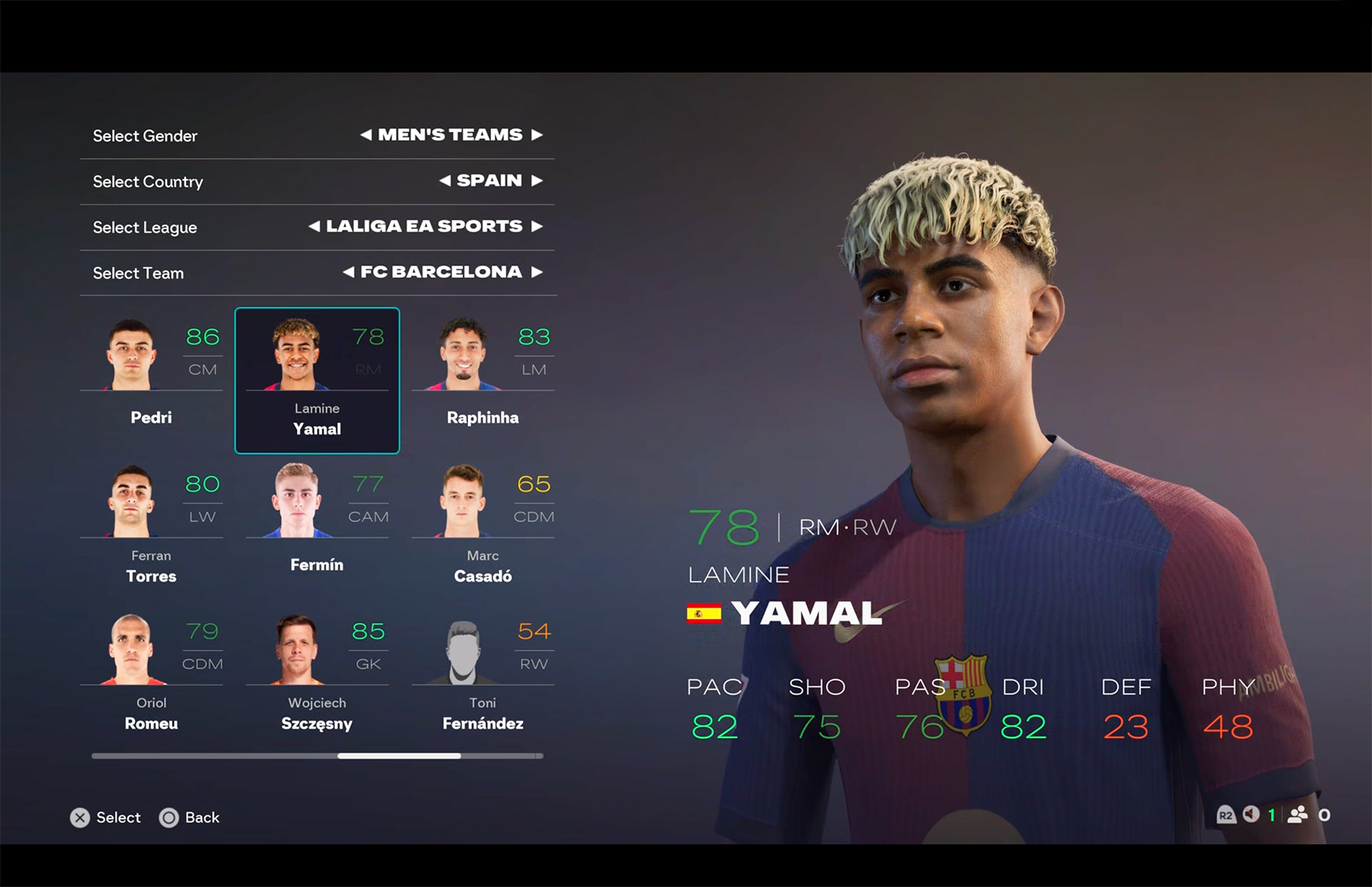
If you select PLAY AS A REAL PLAYER, choose your favourite footballer from their real-world club and take control of their career.
Next, adjust your career settings.
Choose Your Club
After creating your player, choose a club to join. Your favourite club will appear by default, but you may select another. Only men’s clubs are available, and national teams cannot be chosen.
Career Settings
- Match Difficulty – Beginner, Amateur, Semi-Pro, Professional, World Class, Legendary, or Ultimate
- Half Length – 3, 4, 5, 6, 7, 8, 9, 10, 15, or 20 minutes
- Currency – Sterling, Dollars, or Euros
- European Competitions – Enable/Disable (UCL, UEL, UECL)
- Transfer Window – Enable/Disable (First Summer Transfer Window)
- International Offers – Enable/Disable (Job offers from national teams)
- Negotiation Strictness – Strict or Loose
- Financial Takeover – Enable/Disable (Start with a large cash injection)
Save Your Career
Save your career progress locally on your console or PC.
Next, you’ll see a cinematic scene introducing your Virtual Pro to the first team. This can be skipped.
Start Your Career
Begin your career by playing matches, training, and developing your player.
Central
This is your hub for managing your Virtual Pro and season:
Play Match / Advance
Play or simulate matches to progress through the season. Note: Simulating can reduce growth and results.
Standings
View league and tournament tables.
Training
Play training drills to gain XP and improve attributes.
Activities
Check messages, shopping options, investments, and interactions.
News
Follow updates on transfers, competitions, and world football.
My Pro
Customise and manage your Virtual Pro’s progress:
- Player Growth – Attributes, archetypes, and perks
- Personality – Progression, points, and tiers
- Notifications – Alerts and messages
- My Career – Career summary and stats
- Squad Hub – Career-related actions
Season
Access season-wide information:
- Calendar – Schedule and events
- Player Stats / Team Stats – In-depth stats
- Standings – Current competition standings
- Other Leagues – Tables from leagues worldwide
Customise
Change appearance and settings:
- Edit Pro – Update appearance (name, nationality, team, and birth date locked)
- Edit Players – Adjust teammates’ kits and accessories
- Settings – Game settings (half length, difficulty, etc.)
- Save Game – Save your current progress
Comments